
OpenAI Dots are always-on agents in ChatGPT that run on GPT-6 Astra and work across apps to keep making progress toward your goals. They don’t wait for you to type something. Instead, they do research, check information, and build memories—even when you’re not actively chatting. This is a marketer’s take on what OpenAI says Dots can do, based on the documentation.
What Are OpenAI Dots?
A dot is an agent inside ChatGPT that stays active between conversations. It has its own cloud computer that works across the apps you connect and remembers context so it can keep working over time. Here’s how it’s set up:
- Model: Each dot runs on GPT-6 Astra.
- Reach: Dots connect to more than 4,000 apps through OpenAI’s plugin system.
- Plans: The first dot is free with Pro and Business Premium plans. Pro does not include users from the European Economic Area, Switzerland, or the UK.
- Setup: You create a dot on desktop or desktop web—no app yet.
How OpenAI Dots Research When Nobody Is Asking
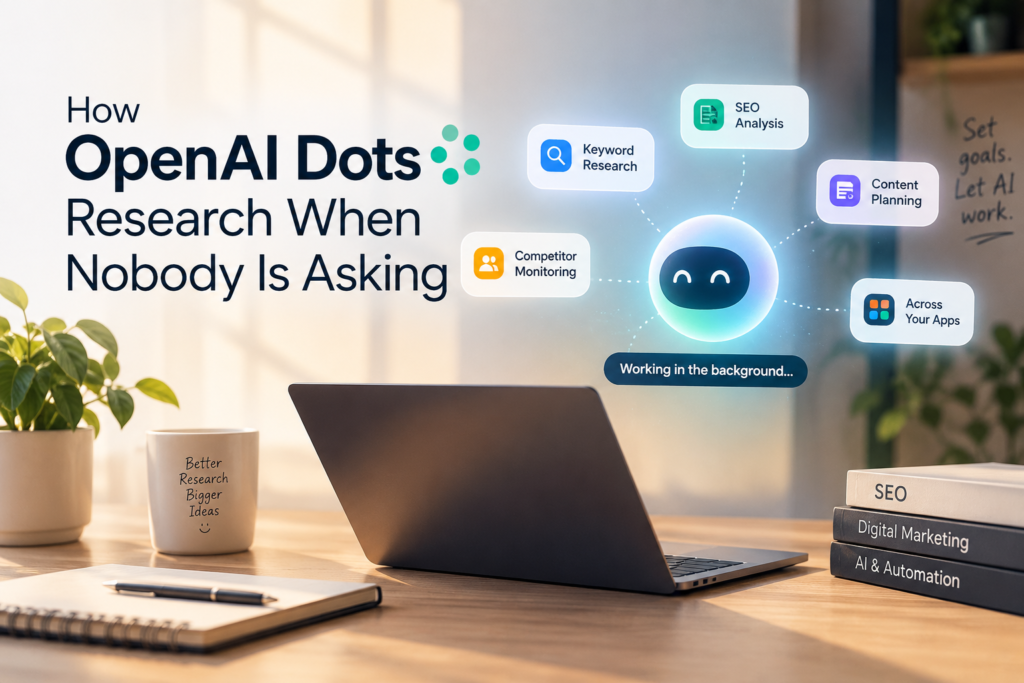
This part matters most. OpenAI says dots can research in the background and suggest ways to help. They can also review data proactively and form memories—even if you haven’t asked a new question.
They do this in three ways:
Background research
You give the dot a goal. It searches continuously. Brings back findings. It only asks for your judgment on things that need input.
Scheduled checks
You can ask your dot to run checks like reviewing your calendar every morning. You manage these from the dot’s profile.
Memory
Dots get memories from ChatGPT. They can create their own, including ones from apps they’re connected to. That’s what makes them search AI—not just a one-time chatbot. They grow smarter over time by building context.
Where This Could Help Marketers
From my experience, I’ve used research agents before for SEO projects. I had them analyze competitors and related search queries. The result? Long-tail. Content topics I hadn’t thought of. That gave me a content plan.
Now imagine letting a tool like OpenAI Dots do that on a schedule. These are ideas—not tested results. Here’s how it could help:
- Check competitor content weekly
- Watch for new long-tail search terms
- Flag gaps in your current content plan
The value is the same as today: saving time, reducing repetitive work, and freeing up space for strategy and creativity.
What to Set Before You Trust It
I’d let an agent run tasks only for low-risk jobs—like tracking SEO trends or analyzing public competitor posts. My trust depends on three things:
- The dot uses sources.
- It shows where each piece of info came from.
- I can review findings before anything happens.
OpenAI gives some controls that support this:
- Custom rules: Choose “take action without asking, ” “take action if pre-approved,” “ask before taking action,” or “hand off to you.”
- ** Computer access**: Turned off by default.
- Pause: Stop your dot anytime you don’t want it to keep going.
- Sensitive tasks: Changing a password always stays with you.
One important note: disconnecting an app doesn’t delete data. To remove it, you must reset the dot.
Here’s how I’d split tasks. This is my opinion, not an OpenAI rule. Task: Run unprompted? Why SEO trend monitoring: Yes. Low risk, easy to review. Competitor content tracking: Yes. Mostly public info. Content idea lists: Yes. You review before using. Emailing clients: Ask first. Hard to undo. Publishing posts: Ask first. Public and visible. Spending ad budget: Hand off to you. Real money involved
Limitations to Know About
OpenAI Dots are brand new, so there are limits to note:
- Mistakes happen: OpenAI warns that a dot may make errors when following your rules. Always check important details.
- ** Limits **: At launch, each user can create only one dot. Dots can’t call you yet. There’s no mobile setup.
- Unclear usage terms: Deeper work uses a plan allowance. Post-launch terms aren’t published yet.
- ** demos**: Reuters reported live demos had issues—agents failed to deliver voice updates when requested.
- ** rollout**: Access might take several days to reach your account.
4 Steps to Set Up a Safe Research Dot
My tip for marketers: start with a clear goal and specific instructions. Then review sources and key findings before using the output.
- Write one goal. Example: “Track long-tail queries around [topic] weekly.” That’s better than “do SEO research.”
- Connect what the dot needs. Fewer apps mean cleanup later.
- Set approval rules. Use “ask before taking action” for anything beyond research.
- Review on a schedule. Check. Findings before they enter your marketing workflow.
FAQ
What are OpenAI Dots?
They’re always-on agents in ChatGPT powered by GPT-6 Astra. Each dot has its cloud computer and connects to apps through plugins.
**Can OpenAI Dots work when I’m not chatting? ****
Yes. They can research in the background, run scheduled tasks, and review info on their own.
Which plans include OpenAI Dots?
Pro (outside the EEA, Switzerland, and the UK) and Business Premium. Enterprise users can try a beta once admins enable it.
Are they free?
The first dot is free with Pro and Business Premium. Deeper work uses a plan allowance.
Is it safe to let an agent research unprompted?
It depends. Low-risk research with sources is reasonable. Anything public-facing or hard to reverse should require your approval.
OpenAI Dots shift AI from “answer when asked” to “keep looking while you’re away.” For marketers, that means keyword and competitor insights without extra manual effort.
Your takeaways:
- Start with a clear research goal
- Limit the apps the dot can access
- Require approval for actions
- Review every finding before use
Treat claims—including mine—with care until more people test Dots in real workflows.
CONCLUSION
OpenAI Dots represent a shift from AI that simply responds to requests to AI that can continue working toward a goal even when you’re not actively chatting with it. For marketers, that could make ongoing tasks such as keyword research, competitor monitoring, SEO research, and content planning much less repetitive. For a freelance digital marketer in Trivandrum, this could be especially useful for managing recurring research tasks while spending more time on strategy, creativity, and client work.
But the biggest benefit may also require the most caution. Dots can work independently, yet that doesn’t mean every task should be left completely unattended. Start with low-risk research, give the dot clear instructions, limit the apps it can access, and require approval before it takes actions that are public, financial, or difficult to reverse.
For now, I’d view OpenAI Dots as a promising step toward continuous AI research rather than a replacement for human judgment. The technology is still new, and real-world use will reveal how reliable and useful it becomes. Until then, the smartest approach is simple: let the AI keep looking, but keep yourself in control of the decisions.